

Introduction
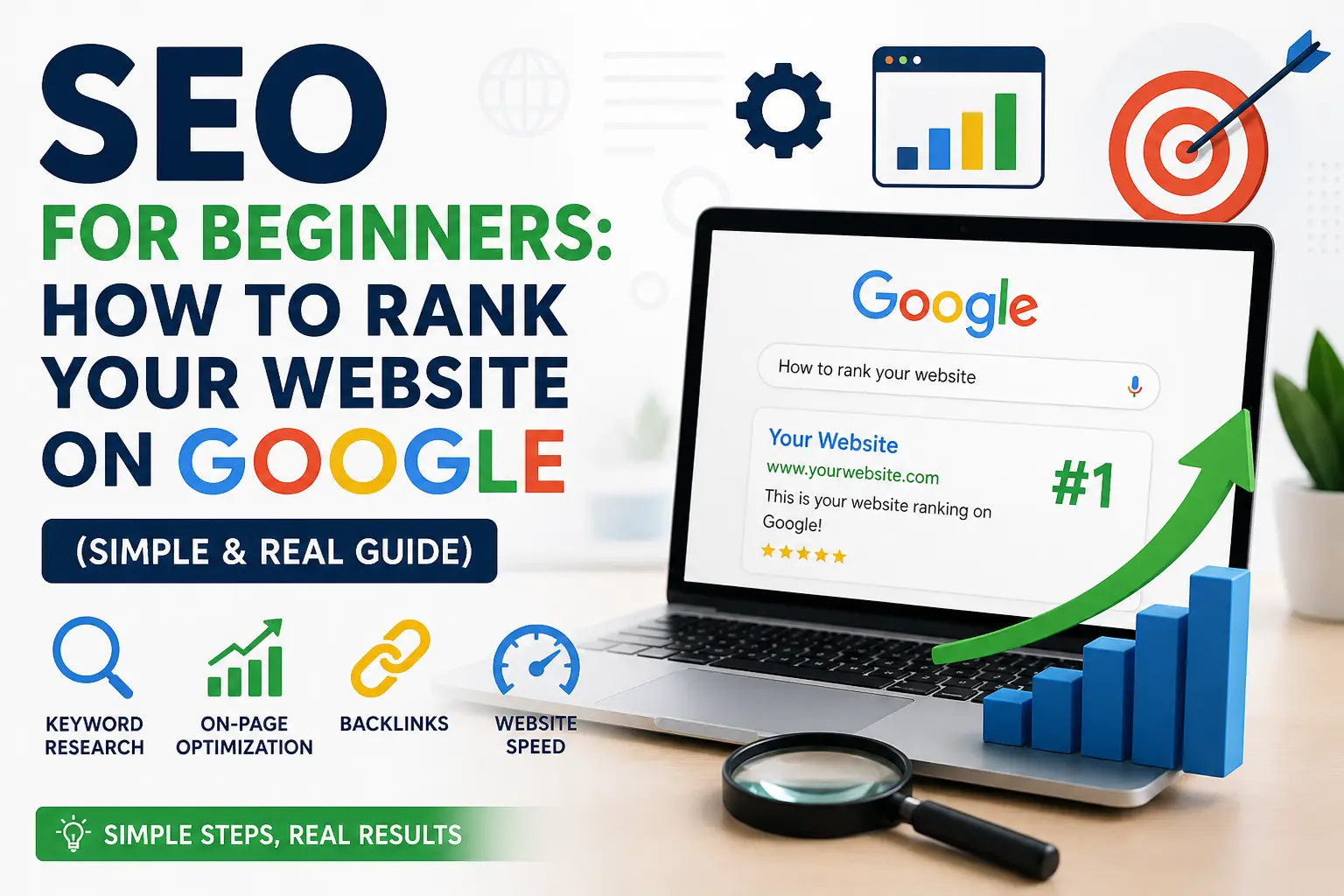
In today’s digital world, simply creating a website is not enough. Millions of websites are already available on Google, and every day new websites are launched online. If your website is not properly optimized, people may never find it — even if your content or services are excellent. This is where SEO for Beginners becomes extremely important.
SEO (Search Engine Optimization) helps your website appear on Google when users search for topics related to your business, blog, or services. Whether you own a business website, personal blog, portfolio, or online store, learning SEO for Beginners can help you increase website traffic, improve visibility, and grow your online presence naturally.
Have you ever created a website and waited for visitors, but nobody came?
This happens with thousands of beginners every day. They create a website, publish some pages, and expect Google to send traffic automatically. But the reality is different.
Without SEO, your website is almost invisible on Google.
That’s why learning SEO for Beginners is one of the smartest things you can do if you want your website to grow online.
The good news?
You do not need to become a technical expert to understand SEO. Even beginners can start ranking websites on Google by learning a few simple strategies and applying them consistently.
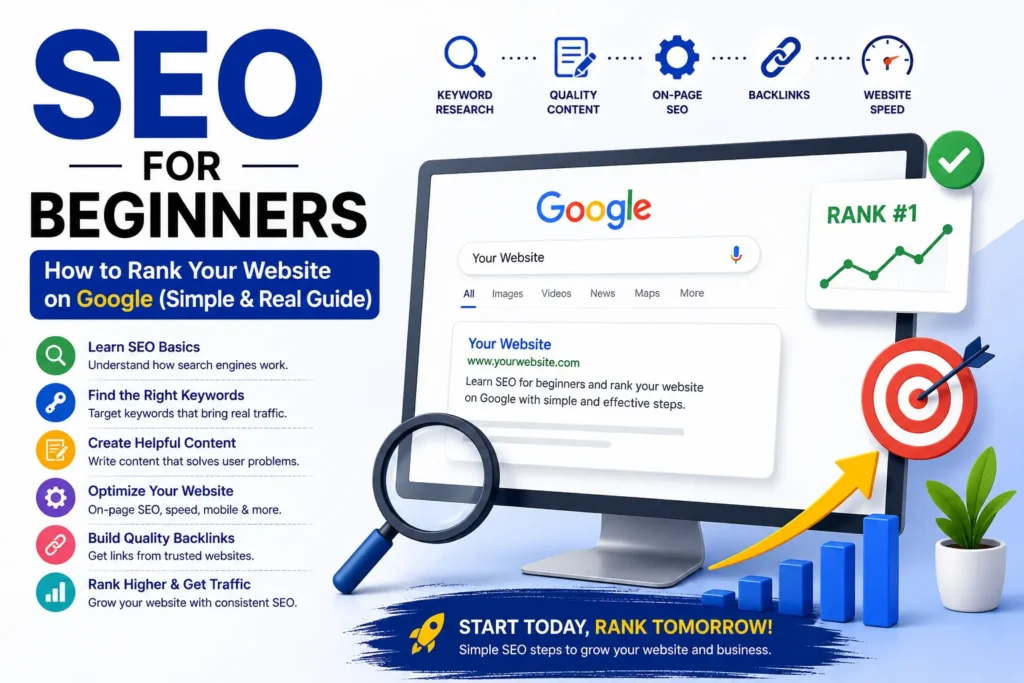
In this complete guide on SEO for Beginners, you will learn:
- What SEO actually means
- How Google ranks websites
- How to find the right keywords
- How to optimize content
- How to improve website speed
- How backlinks work
- Common SEO mistakes beginners make
- Simple SEO tips that actually work
This guide is written in simple language so anyone can understand SEO for Beginners easily.
What is SEO? (Simple Definition)
SEO stands for Search Engine Optimization.
SEO is the process of improving your website so that it appears higher on Google search results when people search for something related to your business or content.
For example:
If someone searches:
- “Best digital marketing course”
- “SEO services in Delhi”
- “How to rank website on Google”
and your website appears on the first page—
that is SEO working successfully.
The main goal of SEO for Beginners is simple:
Why SEO is Important for Every Website
Today, almost everyone uses Google before buying products or services.
People trust websites that appear on the first page of Google because they believe:
- “This website is trusted”
- “This business is professional”
- “Google recommends this website”
That’s why SEO is extremely important.
Benefits of SEO
1. Free Organic Traffic
Unlike paid ads, SEO brings visitors without paying for every click.
Good SEO can generate traffic for months and years.
2. Better Brand Trust
People trust Google rankings.
If your website ranks high, users automatically trust your business more.
3. More Leads and Sales
Higher traffic means more customers, more inquiries, and more sales.
4. Long-Term Results
Paid ads stop when money stops.
But SEO can continue bringing traffic for a long time.
5. Better User Experience
SEO also improves:
- Website speed
- Mobile friendliness
- Content quality
- Navigation
This creates a better experience for visitors.https://developers.google.com/search/docs/fundamentals/seo-starter-guide
How Google Actually Works
Before learning advanced SEO for Beginners, you should understand how Google works.
Google uses bots called “crawlers” to scan websites.
These bots:
- Read your content
- Analyze keywords
- Check website quality
- Understand page topics
- Compare websites
Then Google decides which websites deserve higher rankings.
Google mainly focuses on:
- Helpful content
- Fast websites
- User experience
- Mobile optimization
- Quality backlinks
- Relevant keywords
The better your website performs in these areas, the higher it can rank.
Step 1: Find the Right Keywords
Keywords are the foundation of SEO for Beginners .
Without keywords, Google cannot understand your content properly.
Keywords are the exact words people type into Google.
Examples:
- SEO for Beginners
- Digital marketing services
- Website ranking tips
- Best SEO guide
What Are Long-Tail Keywords?
Long-tail keywords are longer and more specific phrases.
Example:
Instead of:
“SEO”
Use:
“SEO for Beginners step by step”
Long-tail keywords are easier to rank for because competition is lower.
Best Keyword Research Tips for SEO for Beginners
Use Google Suggestions
Type something into Google and see suggested searches.
These are real searches people use.
Use Free Keyword Tools
You can use:
- Google Keyword Planner
- Ubersuggest
- Ahrefs Free Tools
- AnswerThePublic
Focus on Search Intent
Understand what users actually want.
For example:
Someone searching:
“SEO for Beginners”
wants learning content.
But someone searching:
“Hire SEO expert”
wants services.
Create content according to user intent.
Step 2: Create High-Quality Content
Content is the heart of SEO.
Google ranks websites that provide useful and valuable information.
Poor content will never rank for long.
That’s why SEO for Beginners should always focus on content quality first.
How to Create SEO-Friendly Content
Write for Humans First
Many beginners make the mistake of writing only for search engines.
But Google prefers human-friendly content.
Bad Example:
“We provide best SEO services best SEO services best SEO services.”
Good Example:
“Our SEO strategies help businesses improve Google rankings naturally.”
Solve Real Problems
Your content should answer questions clearly.
Helpful content ranks better.
Use Simple Language
Avoid difficult technical words.
Easy-to-read content performs better.
Add Real Examples
Examples make content more trustworthy and engaging.
Keep Content Updated
Google prefers fresh and updated content.
Update blogs regularly.
Step 3: On-Page SEO Optimization
On-page SEO means optimizing individual pages properly.
This is one of the most important parts of SEO for Beginners.
Basic On-Page SEO Checklist
1. Add Keyword in Title
Your main keyword should appear in the title.
Example:
“SEO for Beginners: Complete Guide to Rank on Google”
2. Add Keyword in First Paragraph
Google checks the beginning of your content carefully.
Mention your keyword naturally for SEO for Beginners.
3. Use Proper Headings
Use:
- H1
- H2
- H3
to organize content properly.
This improves readability and SEO.
4. Optimize URLs
Bad URL:
yourwebsite.com/page123?id=56
Good URL:
yourwebsite.com/seo-for-beginners
5. Add Internal Links
Link to other pages on your website.
This improves website structure.
6. Optimize Images
Use:
- Small image sizes
- Alt text
- Descriptive file names
Example:
seo-for-beginners-guide.jpg
Step 4: Improve Website Speed
Website speed is extremely important for SEO.
Slow websites lose visitors quickly.
Google notices this.
Why Website Speed Matters
Users expect websites to load fast.
If loading takes too long:
- Visitors leave
- Bounce rate increases
- Rankings decrease
Tips to Improve Website Speed
Compress Images
Large images slow websites down.
Use optimized images.
Use Lightweight Themes
Heavy designs can hurt performance.
Simple websites often rank better.
Remove Unnecessary Plugins
Too many plugins slow websites.
Only keep important ones.
Use Fast Hosting
Good hosting improves website speed and stability.
Step 5: Mobile Optimization
Today, most people use mobile phones to browse websites.
Google uses mobile-first indexing.
This means Google mainly checks your mobile website version.
How to Make Website Mobile-Friendly
- Use responsive design
- Use readable font sizes
- Avoid popup overload
- Make buttons clickable
- Improve loading speed
A mobile-friendly website improves rankings and user experience.
Step 6: Build Quality Backlinks
Backlinks are links from other websites to your website.
Google sees backlinks as trust signals.
The more trusted websites link to you, the better your rankings can become.
Why Backlinks Matter
Backlinks help Google understand:
- Your website is valuable
- Your content is trustworthy
- Other websites recommend you
Simple Backlink Strategies for Beginners
Guest Posting
Write articles for other websites.
Share Content on Social Media
More visibility can generate backlinks naturally.
Business Directories
Submit your website to trusted directories.
Create Helpful Content
Good content attracts backlinks automatically.
Step 7: Learn Local SEO
Local SEO is very important for businesses targeting local customers.
Example searches:
- SEO expert in Delhi
- Digital marketing services near me
- Best website designer in Delhi
How to Improve Local SEO
Create Google Business Profile
This helps your business appear in Google Maps and local searches.
Add Location Keywords
Example:
“SEO services in Delhi”
Collect Customer Reviews
Positive reviews improve trust and rankings.
Add Contact Information Clearly
Mention:
- Address
- Phone number
Step 8: Use Social Media for SEO Growth
Social media does not directly improve rankings, but it helps indirectly.
Benefits include:
- More traffic
- Better visibility
- Brand awareness
- Audience growth
Best Platforms for Promotion
- YouTube
Sharing content regularly helps build authority online.
Step 9: Understand Technical SEO Basics
Technical SEO helps search engines crawl your website properly.
You do not need advanced technical knowledge initially, but basic understanding helps.
Important Technical SEO Elements
SSL Certificate
Your website should use HTTPS.
Google prefers secure websites.
XML Sitemap
A sitemap helps Google understand your website structure.
Robots.txt
This file tells search engines which pages to crawl.
Fix Broken Links
Broken links create poor user experience.
Most Common SEO Mistakes Beginners Make
Many beginners fail because they make common SEO mistakes.
1. Keyword Stuffing
Using keywords too many times looks unnatural.
Write naturally instead.
2. Copying Content
Copied content performs poorly on Google.
Always create original content.
3. Ignoring Mobile Users
Mobile optimization is extremely important.
4. Expecting Instant Results
SEO takes time.
Be patient.
5. Publishing Low-Quality Content
Thin content rarely ranks.
Focus on quality over quantity.
6. Not Updating Old Content
Refreshing old content improves rankings.
How Long Does SEO Take?
SEO is a long-term process.
Realistically:
First Month
Very small results.
Second to Third Month
Some traffic improvements.
Four to Six Months
Visible ranking growth.
Long-Term
Strong authority and consistent traffic.
Consistency is the key.
Simple SEO Strategy for Beginners
If SEO feels confusing, keep things simple.
Follow this process:
Step 1
Choose one main keyword.
Example:
SEO for Beginners
Step 2
Write detailed content around that keyword.
Step 3
Optimize:
- Titles
- Headings
- URLs
- Images
Step 4
Share content on social media.
Step 5
Repeat consistently every week.
Small consistent actions create big SEO growth.
Future of SEO for Beginners
SEO is constantly changing.
Today, Google focuses more on:
- Helpful content
- User experience
- AI-powered search
- Content quality
- Expertise and trust
Future SEO will reward websites that genuinely help users.
That means helpful content will always win.
Final Thoughts on SEO for Beginners
SEO may look difficult at first, but it becomes easier with practice.
You do not need to become an expert immediately.
Start small:
- Learn keywords
- Create useful content
- Improve website speed
- Stay consistent
The most important thing is to keep learning and practicing.
SEO is one of the most powerful ways to grow a website organically without spending huge money on ads.
If you apply the strategies from this SEO for Beginners guide consistently, your website can slowly start ranking on Google and attracting real visitors.
Remember:
SEO is not about tricking Google.
SEO is about helping users better than others. SEO for Beginners
And when you do that consistently, Google notices.
SEO for Beginners: How to Get Your Website Ranks on Google
Have you ever created a website but not had any visitors?
Most people build their websites and just wait and wait for anything to happen.
And it doesn’t happen because:
The thing is SEO makes your website appear on Google.
And without SEO, your website is practically invisible.
In this guide, I will show how SEO works in an easy way so you can get started even if you are a beginner.
- What is SEO? (Simple Definition)
SEO or Search Engine Optimization means optimizing your website to show up on Google when people make a search.
For instance, when someone looks up “digital marketing services in Delhi,” and your website pops up—
That is SEO in action.
- The Importance of SEO for Your Website
Come on! Everybody trusts Google!
People think about the following when you rank first on Google:
“This business is legitimate”
“This seems professional”
Advantages of SEO:
Free organic traffic (don’t need any advertisements)
Consistent results
Greater brand authority
More sales
Step 1: Identify the Best Keywords
All SEO for Beginners with keywords.
These are the words people enter into Google.
Some keyword ideas are:
digital marketing for small businesses
SEO services in India
ways to increase sales online
Hint: Use long-tail keywords
Step 2: Creating Useful Content (Not Any Content)
Google doesn’t rank any random content, but only useful content.
Don’t write:
“We provide best services”
But rather:
“How our digital marketing service benefits small businesses”
Content Ideas:
Using simple language
Giving clear solutions
Showing real examples
Remember always to write for humans before SEO.
Step 3: Using On-Page SEO
On-page SEO for Beginners refers to the optimization of individual website pages.
Basic checklist:
Incorporating keyword in title
Incorporating keyword in first paragraph
Adding appropriate headings (H1, H2, H3)
Natural use of keywords in content
Adding an image with alt text
Making URL clean (like this one: /seo-guide
Step 4: Increasing Website Speed and Mobile Optimization
If your website loads slowly, you will lose visitors.
And yes, Google will take note of that.
To make your website loading fast:
Your website loads quickly
Your website functions well on mobiles
There are no extra heavy images.
Tip: Sometimes, the simpler a website, the better its performance SEO for Beginners.
Step 5: Creating Backlinks (Time-Consuming but Effective)
Backlinks refer to getting a link from another website to yours.
Google considers backlinks as indicators of trust.
Ways of building backlinks:
Guest blogging
Directory submission
Social media sharing of content
Step 6: Optimise for Local SEO (Extremely Important)
In case you serve locally, this step will change everything.
You have to do these things:
Google My Business profile
Include location in keywords.
Get local reviews.
Sample phrase:
“Digital marketing services in Delhi”
This will ensure that you will attract local customers quickly.
Step 7: Stay Social on Social Media Platforms
While social media cannot help with your SEO ranking directly, it can contribute to:
Traffic generation
Brand building
Visibility improvement
It is not necessary to post every day; even three to four posts per week can work wonders.
Most Common SEO Errors to Be Avoided
There are many mistakes made by beginners in SEO:
Using too many keywords
Copying others’ content
Neglecting mobile users
Thinking of instant results
Failing to update content
SEO is not a shortcut but a process.
SEO Duration Timeline
Let’s be realistic:
First Month → Very Little Results
Second Month → Some Traffic
Fourth Month Onwards → Actual Progress
Simple SEO Techniques for Beginners
Confused by SEO? It’s okay, you don’t have to know everything at once. Just keep it simple and remember that:
- Choose only one keyword for each blog post
- Create valuable content based on that keyword
- Optimize it for SEO (optimize titles, use headings and keywords)
- Post it on social networks
- Keep doing it every week
Conclusion
SEO is probably the most efficient marketing strategy to increase website traffic organically.
You don’t have to be a specialist to apply the main principles of SEO:
- Find suitable keywords
- Provide high-quality content
- Be consistent
In time, you’ll see your website ranking for Google.
Help Google understand your website and show it to the right people.
FAQ
1. What is SEO?
SEO (Search Engine Optimization) is the process of improving your website so it can rank higher on Google search results and get more organic traffic.
2. Why is SEO important for beginners?
SEO helps beginners grow their websites without spending money on ads. It improves visibility, traffic, trust, and online growth.
3. How does Google rank websites?
Google ranks websites based on:
- Content quality
- Keywords
- Website speed
- Mobile friendliness
- Backlinks
- User experience
4. Can beginners learn SEO easily?
Yes, beginners can learn SEO step by step by understanding keywords, content creation, on-page SEO, and basic website optimization.
5. How long does SEO take to show results?
SEO usually takes:
- 1–2 months for small improvements
- 3–6 months for noticeable traffic
- Longer for competitive keywords
SEO is a long-term strategy.
6. What are keywords in SEO?
Keywords are the words or phrases people type into Google while searching for information, products, or services.
Example:
“SEO for Beginners”
7. What are long-tail keywords?
Long-tail keywords are longer and more specific search phrases with lower competition.
Example:
“SEO for Beginners step by step guide”
8. What is on-page SEO?
On-page SEO means optimizing website pages using:
- Titles
- Headings
- Keywords
- Images
- URLs
- Internal links
9. Why is content important in SEO?
Content helps Google understand your website. High-quality and useful content improves rankings and user engagement.
10. What is keyword stuffing?
Keyword stuffing means using the same keyword too many times unnaturally. This can harm your SEO rankings.



Good